Transforming the Inbox into a Cognitive Command Center
Beyond an Update, A Redefinition of Work
Google’s recent announcement, “Gmail is entering the Gemini era,” should not be interpreted merely as software release notes. It is a temporal marker. For two decades, email has fundamentally remained the same: a chronological list of static messages. Today, Google is attempting to transform this passive repository of information into an active agent capable of reasoning.
In an economic context where cognitive overload and information obesity cost businesses billions (it is estimated that an executive spends nearly 28% of their time managing emails), the integration of Gemini (Google’s most advanced Artificial Intelligence) directly into the Gmail interface represents a disruption. It is no longer about having a tool alongside your work (like opening ChatGPT in another tab), but having intelligence inside the workflow.
Key Definition:
Gemini: This is the brand name for Google’s family of Artificial Intelligence models. It is an LLM (Large Language Model). Think of it as a living encyclopedia that has read almost the entire internet and is capable of understanding, synthesizing, and generating text, code, and images.
This integration aims to solve the problem of “context switching”—that costly moment for the brain when shifting from one application to another, thereby breaking the flow of concentration.
Under the Hood: The Mechanics of AI in Your Inbox
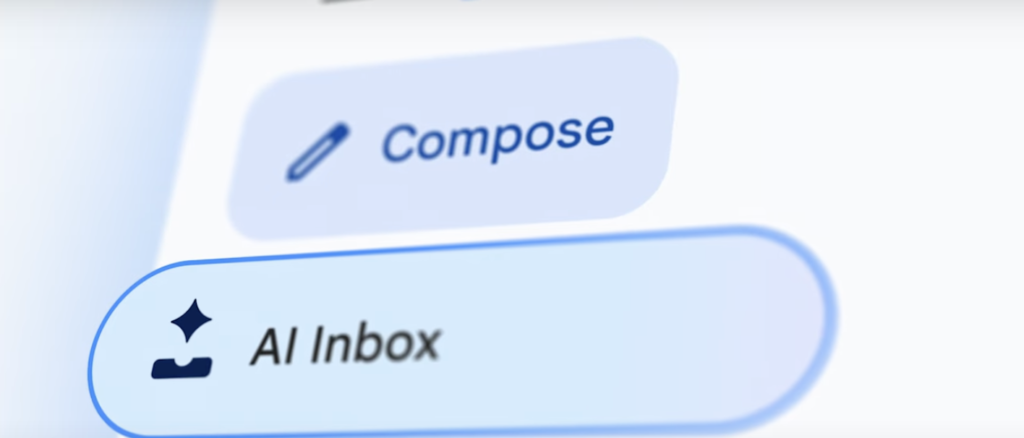
To understand the scope of this innovation, we must look under the hood and observe how the technology interacts with your personal data. The integration manifests primarily through a side panel (Sidebar) and native mobile features. But how does it actually work?
1. RAG (Retrieval-Augmented Generation) Simplified
When you ask Gemini a question in Gmail (e.g., “When is the delivery from supplier X arriving?”), the AI does not invent the answer. It uses a technique called RAG or Retrieval-Augmented Generation.
- The Librarian Analogy: Imagine Gemini is an ultra-fast librarian. Your inbox is the library. When you ask a question, the librarian doesn’t recite a book they memorized a year ago (which is what classic LLMs do). They run into the aisles (your emails), grab the specific documents (invoices, recent threads), read them in a split second, and give you an oral summary. This is RAG: combining the AI’s ability to speak with your real-time data.
2. The Context Window
One of the strengths of Gemini 3 Pro (the model often used for these heavy tasks) is its immense “context window.”
- Simple Explanation: The context window is the conversation’s “RAM” (Short-term memory). Most AIs can “remember” the equivalent of a small booklet. Gemini can ingest the equivalent of thousands of pages of emails, PDF attachments, and spreadsheets simultaneously without “forgetting” the beginning of the conversation. This allows it to understand a thread that has been ongoing for six months without losing crucial details from the start.
3. Real-Time Inference
Inference is the moment the AI “thinks” and produces an answer after receiving your request. Google has optimized its servers (TPUs – Tensor Processing Units) so that this thought process is almost instantaneous, even on mobile. The goal is to reduce latency (wait time) so that the interaction feels as fluid as a human conversation.
Operational Impact: The Trinity of Value
Integrating Gemini into Gmail is not cosmetic. It targets three critical performance levers for any enterprise.
1. Efficiency: The End of the “Archaeological Dig”
How much time do you waste searching for “that email from Philip sent in March with the PDF attached”? The Gmail Q&A feature transforms keyword search (often frustrating) into semantic search (searching by meaning).
- Estimated Gain: If an employee searches for information for 30 minutes a day, Gemini can reduce this to 5 minutes. Over a year, that is more than a week of work recovered per employee.
2. Profitability: Reducing OPEX (Operating Expenses)
Using the “Summarize” function on long threads allows for an immediate catch-up without having to read 45 CC’d emails.
- P&L Impact: By accelerating decision-making, the sales cycle or customer ticket resolution time is reduced. Less time spent on admin = more time on billing or strategy.
3. Cognitive Automation: “Help Me Write”
The “Help me write” function is not a simple spell checker. It is a junior copywriter. You can give it a vague instruction (“Tell the team I’ll be late due to traffic but joining via video”) and it generates a professional, polite, and formatted email.
- Technical Nuance: The tool allows for tone adjustment (Formal, Elaborate, Short). This is what we call automated “Prompt Engineering.” The interface handles the complex work of formulation for the user.
Concrete Case Study: The SME “Logistics-Pro”
To visualize the impact, let’s take the fictional but realistic case of “Logistics-Pro,” a transport SME.
The Character: Sarah, Operations Manager.
The Situation: A major crisis. A key client asks why their cargo is stuck at customs. Sarah has 50 unread emails, threads with the carrier, customs, and the client, mixed with invoices.
BEFORE GEMINI:
- Sarah does a keyword search for “Customs.” She gets 200 results.
- She opens the last 10 emails, reading attachments one by one.
- She has to cross-reference tracking numbers on an external Excel sheet.
- She drafts an apology email, deletes it, and rewrites it to avoid sounding incompetent.
- Total time: 45 minutes of intense stress.
AFTER GEMINI (The Current Era):
- Sarah opens the Gemini side panel in Gmail.
- Prompt: “What is the latest update on the ‘Alpha’ client file regarding the customs hold and summarize the exchanges with the carrier for me.”
- Result: Gemini scans the threads, ignores spam, reads the carrier’s PDF, and replies: “The file is stuck because the certificate of origin is missing. The carrier requested it yesterday at 2 PM. The certificate is in the attachment of the email from Pierre sent this morning.”
- Sarah clicks “Reply to client.” She uses “Help me write”: “Draft a reassuring reply confirming we have the document and the situation is being resolved today.”
- Total time: 5 minutes. Sanity preserved.
Risks, Limits, and Ethics
Despite the excitement, adopting this technology requires heightened vigilance.
- Hallucinations: LLMs, even the best like Gemini, can sometimes “hallucinate,” meaning they invent facts with total confidence. If Gemini says “The client validated the quote” when they actually said “I will validate,” the legal nuance is huge. The human must remain the final validator (Human-in-the-loop).
- Data Privacy: This is the #1 concern for CIOs. Google assures that Workspace (business) client data is not used to train Google’s public models and remains siloed. However, entrusting the reading of confidential contracts to an AI requires absolute trust in the cloud security infrastructure.
- Skill Atrophy: If AI writes and summarizes everything, what happens to the ability of junior staff to synthesize or write diplomatically? The risk of cognitive dependency is real in the long term.
Conclusion and Strategic Vision
Gmail’s entry into the Gemini era marks the end of email as a simple communication tool and the beginning of email as an assisted operating system. For companies, the question is no longer “Should we use AI?” but “How do we train our teams so they are not replaced by those who use AI?”
We are moving towards total hybridization where the interface (Gmail, Docs, Drive) becomes fluid. Soon, we will no longer search for files; we will converse with our corporate knowledge base.
Advice to the decision-maker: Do not view this as a gadget. Activate the licenses (often paid via Gemini for Workspace), form a pilot team, and measure the time savings. The cost of technological inaction is always higher than the cost of the license.
Are you interested in this topic? Would you like to discuss it? Make an appointment here.
